The rise of artificial intelligence, 5G, and high-performance computing has pushed modern networks to their limits.
Today’s data centers demand faster, denser, and more reliable optical connections — and that’s where MPO/MTP connectors come in.
However, not all MPO cables are created equal. Choosing the right one requires understanding fiber type, polarity, number of fibers, and installation environment.
This guide explains, step by step, how to select the right MPO/MTP cable for your application.
What Is an MPO Connector?
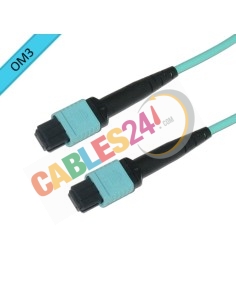
MPO (Multi-Fiber Push-On) is a connector that bundles multiple optical fibers into a single interface.
It enables high-speed links (40G, 100G, 400G, and beyond) in minimal space, simplifying installation and maintenance.
Fun fact: the MTP connector is an enhanced MPO design, offering tighter tolerances and superior optical performance.
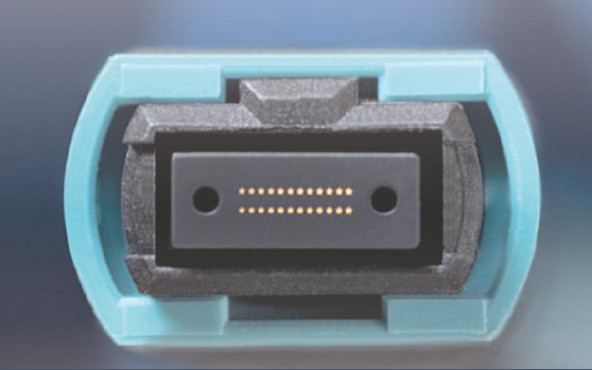
Step 1: Determine the Number of Fibers
Different applications require different fiber counts. Here’s a quick overview:
| Fiber Count |
Typical Application |
Speed |
Module Type |
| 8F / 12F |
40G / 100G |
High |
QSFP / QSFP28 |
| 16F |
200G / 400G |
Very High |
QSFP-DD SR8 |
| 24F |
100G / 120G |
High Density |
CXP, SR10 / SR12 |

Always check your transceiver specs (e.g., QSFP-DD or CXP) to ensure the correct fiber count.
Step 2: Choose Between Singlemode and Multimode Fiber
Your choice depends on link distance and infrastructure type:
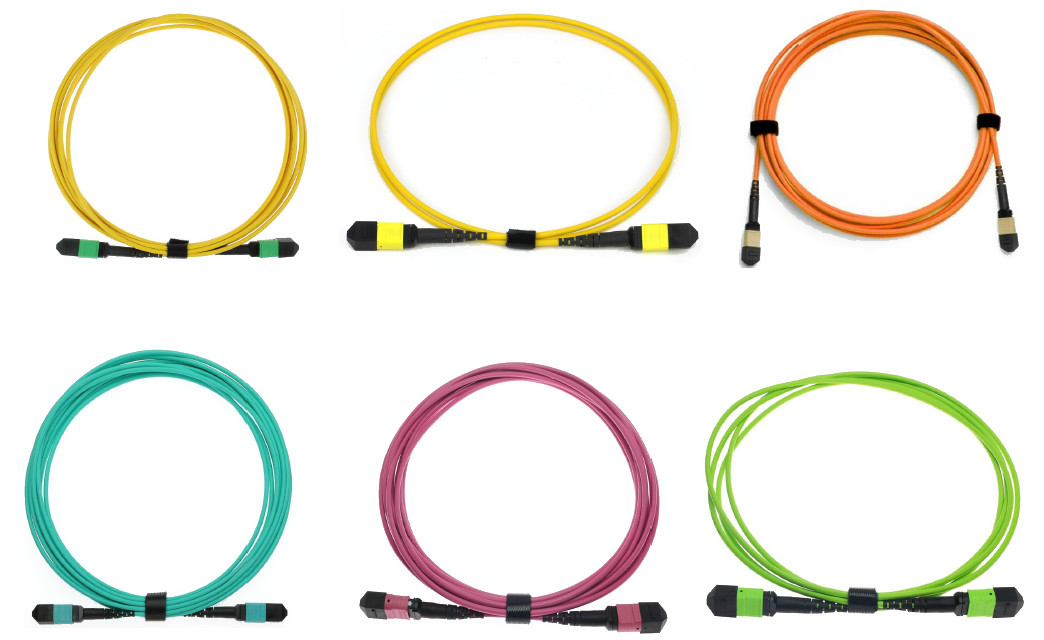
Multimode (OM3, OM4, OM5) > Best for short distances up to 150 m.
Typical colors: aqua, violet, lime green.
Singlemode (OS2)
Designed for long-distance or inter-building connections.
Typical color: yellow.
Pro tip: Use multimode for local data center links and singlemode for cross-building or long-haul connections.
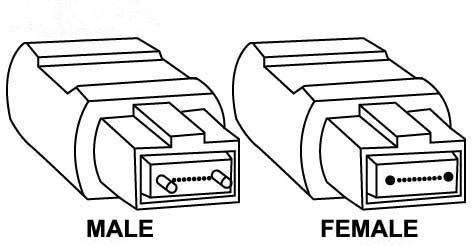
Step 3: Check Connector Gender (Male/Female)
MPO connectors come in two versions:
Male (with guide pins)
Female (without pins)
They connect only to each other (male to female).
Always verify the gender of both ends before installation.
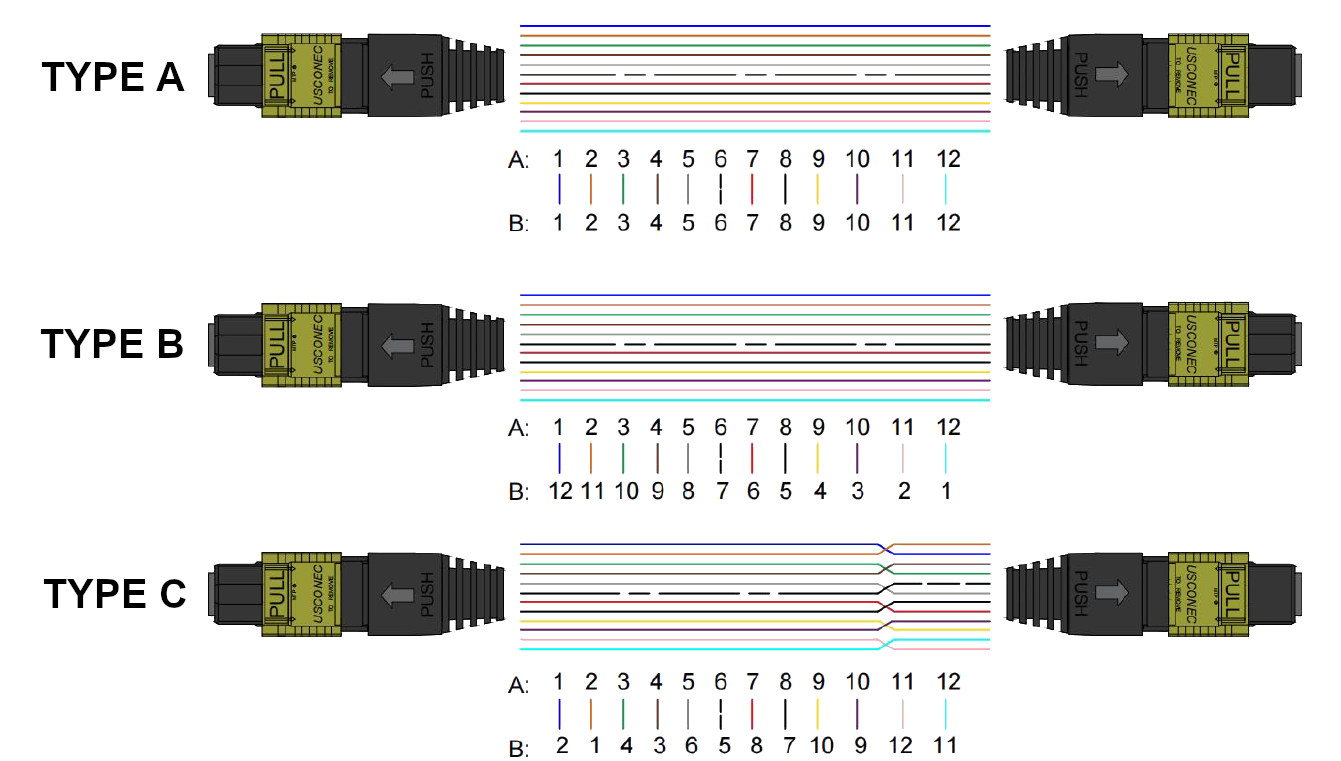
Step 4: Define the Polarity (Type A, B, C)
Polarity ensures that each transmitter (TX) connects to the correct receiver (RX).
Using the wrong polarity can result in no signal or misaligned channels.
| Type |
Description |
Common Use |
| A |
Straight-through |
Basic Links |
| B |
Crossed |
Parallel Systems |
| C |
Pair-flipped |
Breakout cables |
Tip: Document your polarity scheme — it will save hours during future upgrades.
Step 5: Evaluate Optical Loss
Optical loss directly impacts performance. Two key metrics define link quality, IL&RL. Many times standard IL&RL are more than enough, others, you may need to go for the extra cost.
| Fiber Type |
Insertion Loss (IL) |
Return Loss (RL) |
| Multimode standar |
≤ 0.6 dB |
≥ 20 dB |
| Multimode elite |
≤ 0.35 dB |
≥ 20 dB |
| Singlemode standar |
≤ 0.7 dB |
≥ 60 dB |
| Singlemode elite |
≤ 0.35 dB |
≥ 60 dB |
Keep connectors clean!! contamination is the number-one cause of optical loss.
Step 6: Select the Right Cable Type
MPO Trunk Cable >Connects main racks or backbone panels.
Ideal for data-center backbones.
MPO Breakout Cable > Splits one MPO interface into multiple LC or SC connectors.
Perfect for linking switches and servers.
Example: One 12-fiber MPO → six LC duplex (12 channels total).
Step 7: Don’t Forget Mechanical Details
Cable diameter: 3.0 mm, 4.5 mm, or 5.0 mm, depending on density.
Jacket type: LSZH (low-smoke), OFNR, or OFNP rated and/or CPR rated.
Color coding: simplifies fiber identification.
In case of breout cables > Length and fan-out: match your rack or patch-panel layout.
Conclusion: Build a Future-Ready Network
Selecting an MPO cable isn’t just about fiber count — it’s about balancing optical performance, fiber type, polarity, and installation environment.
A well-chosen MPO solution delivers:
Lower signal loss
Easier scalability
Cleaner installations
Compatibility with 400 G, 800G and coming 1.6TB networks
In Short
Define your application → verify fiber count → choose fiber type → check polarity → control losses.
That’s how you future-proof your optical network.

 Request a quote


Comments (0)